AI for Preconstruction Estimating: A Step-by-Step Bid Audit Guide
A 191-page project manual lands in your inbox and the bid clock starts. Most estimators skim the front, flip to the bid form, gut-check the big trades, and commit. The scope gaps show up later as change orders you eat.
This guide walks you through a better first pass, step by step. You'll install Claude Code, point it at the RFP, and have it read the whole packet, index every page, tag each item to a trade, and flag the contradictions before you commit to the bid. It takes about twenty minutes to run the first time and 10 minutes for every project after.
No coding. If you can copy and paste a line into a window, you can do this. Follow it in order.
What you need before you start
Three things, plus about fifteen minutes for first time setup.
A Claude account. Any paid plan works: Pro, Max, Team, or a Console account. If you don't have one, go to claude.ai and sign up first. Before you run a real bid packet, open Settings, then Privacy, and turn off using your data to train Claude.
A Mac or Windows computer. No developer tools and no setup beyond the steps below.
The RFP saved as a PDF somewhere you can find it, like your Downloads folder.
Optional but worth it: a copy of the bid leveling sheet or scope template your shop already uses, saved as an Excel or CSV file. Claude Code will fill yours instead of inventing its own format.
Step 1: Open your terminal
The terminal is the text window where you type commands. Your computer already has one.
On a Mac: hold the Command key and tap the Spacebar, type Terminal, and press Enter. A small window opens.
On Windows: click the Start menu, type PowerShell, and press Enter.
Leave that window open. Every command below gets pasted into it, followed by the Enter key.
Step 2: Install Claude Code with one command
Copy the line for your system, paste it into the terminal, and press Enter. You do this once, ever.
Mac or Linux:
curl -fsSL https://claude.ai/install.sh | bashWindows (PowerShell):
irm https://claude.ai/install.ps1 | iexGive it a minute. When the text stops scrolling and you get a fresh empty line, it's finished. This installs the claude command on your machine.
Step 3: Make a folder for the job and add the PDF
Keep each bid in its own folder. The easiest way is to make it by hand in Finder or File Explorer, no commands needed.
On a Mac: open Finder. In the menu bar click Go, then Home, so you're in your home folder. Click File, then New Folder, and name it bid-audit. Double-click the folder to open it, then drag your RFP PDF inside. If you have a bid leveling template, drag that in too.
On Windows: open File Explorer. In the left sidebar click your name or Home so you're in your user folder. Right-click an empty spot, choose New, then Folder, and name it bid-audit. Double-click to open it, then drag your RFP PDF inside, along with your template if you have one.
Keep the folder in your home folder like this and the command in the next step works exactly as written. The folder now holds the packet and your template.
If you'd rather use the terminal, this does the same thing: mkdir ~/bid-audit on a Mac, or mkdir ~\bid-audit on Windows.
Step 4: Open Claude Code inside that folder
Back in the terminal, paste this and press Enter.
cd ~/bid-audit
claude
The first time you run claude, it opens your web browser and asks you to log in to your Claude account. Click approve, then come back to the terminal. You'll see a prompt waiting for input. That's Claude Code, running inside your bid folder.
Prefer not to live in the terminal? From this step on you can use the Claude desktop app instead. Open the app, point it at your bid folder, and give it the same prompt in Step 5. Same workflow, same result, just a window instead of a command line.
Step 5: Paste the prompt and press Enter
Copy the prompt below, paste it into Claude Code, and press Enter.
Read the RFP PDF in this folder. First build a page by page index: for every page, note what it is and which construction trades it touches. Then pull the unit price sheet into a table of every bid item with its quantity, unit, and PDF page. Group the items into subcontract packages, and spawn a subagent for each trade to produce a bid tally: scope checklist, what a compliant bid should contain, exclusions to watch, and RFIs to send before bid, with a PDF page cited on every line. Then write it all into the bid leveling template in this folder.
As it works, Claude Code asks permission to read the PDF and to create files in your folder. Type y and press Enter to approve. When it offers to approve for the rest of the session, take it so it stops asking.
Step 6: Let it run, then read the output
The whole pass takes about twenty minutes. It reads the packet, indexes it, tags every item, runs one pass per trade at the same time, and fills your template.
When it finishes, do two things. Read the scope gaps it flags first, because that's where the money is. Then spot check a few page citations against the actual PDF so you trust the rest. Every line points to a page, so that takes seconds instead of a re-read.
Step 7: Open the filled template
Look in your bid-audit folder. The filled leveling sheet, or a new results file, is sitting there ready to drop into your bid day process. On the next packet you start at Step 3, and the whole thing is a twenty minute run.
What does the output look like on a real packet?
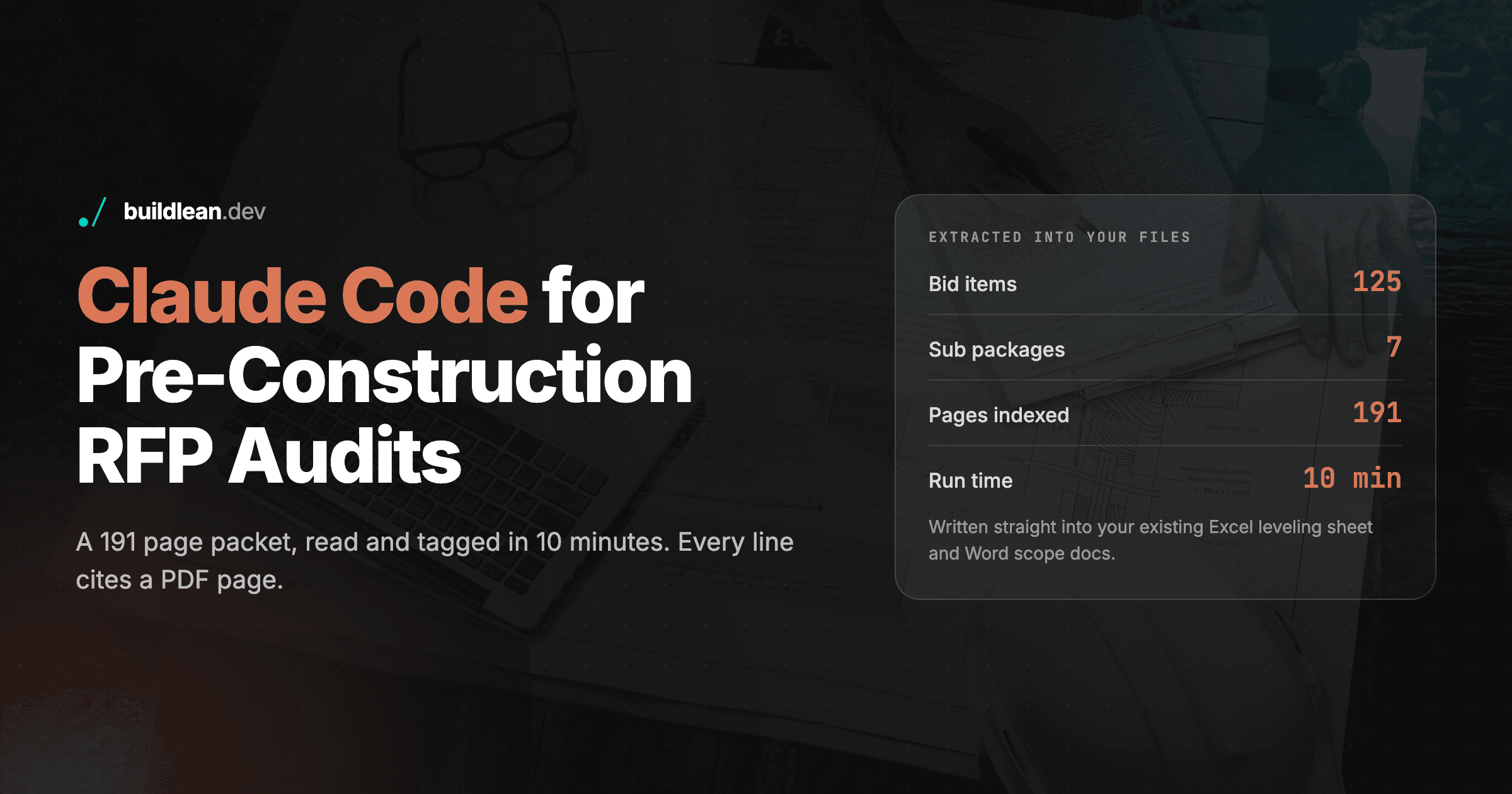
We ran this exact workflow on the Village of Orland Park's Doogan Park reconstruction, RFP #26-020, a 191 page manual bid lump sum. The owner requires a 125 line unit price sheet and states on page 7 that the quantities are informational only and the contractor must verify them. That one sentence is why the audit earns its keep.
All 125 bid items rolled up to seven subcontract packages, your call list before you dial a single sub.
Package | Items | Headline scope |
|---|---|---|
Earthwork, grading and erosion control | 25 | 6,160 CY excavation, subbase, full SWPPP |
Storm sewer and underground drainage | 16 | 1,310 LF of 6 inch storm, structures, outfall |
Asphalt paving (HMA) | 6 | 1,160 tons HMA, 7,900 SY removals |
Concrete flatwork (PCC) and ADA | 10 | 8,610 SF walk, 1,740 LF curb and gutter |
Landscaping, seeding and restoration | 42 | 483 plants, five seed mixes, 7,920 SY topsoil |
Playground, amenities, courts and fencing | 12 | Court surfacing, furnishings, fencing, demo |
Signage, markings and site electrical | 8 | Thermoplastic, signs, traffic control, lighting salvage |
Each of those seven packages comes back as its own one-page bid tally. Here's the concrete flatwork and ADA package in full, the kind of sheet you hand a sub or use to level bids against each other.
Item | Description | Qty | Unit | Sub is responsible for | Spec page |
|---|---|---|---|---|---|
24 | PCC pavement 8 inch | 70 | SY | Placement, finishing, jointing | p12, p190 |
25 | PCC sidewalk 5 inch | 8,100 | SF | Walk on 4 inch subbase (paid separately), joints, ramp edge treatment, dowels into playground curb | p16 |
26 | PCC sidewalk 6 inch | 510 | SF | Same as item 25 at 6 inch, driveway aprons | p16 |
27 | Detectable warnings | 50 | SF | Supply and install truncated dome ADA warnings at ramps | p12, p190 |
31 | Curb removal | 1,440 | FT | Remove and dispose existing curb | p12, p190 |
32 | Combination curb and gutter removal | 1,260 | FT | Remove and dispose existing curb and gutter | p12, p190 |
33 | Sidewalk removal | 2,260 | SF | Remove and dispose existing PCC sidewalk | p12, p190 |
41 | Combination concrete curb and gutter, B-6.12 | 1,740 | FT | New curb and gutter, excavation, doweling, adjacent Class D patching | p21, p22 |
57 | Concrete curb, Type B, bocce | 440 | FT | New curb, joints every 20 ft, subbase paid separately | p36 |
58 | Concrete curb, Type B, playground | 350 | FT | New curb, joints every 10 ft, sidewalk pins in | p37 |
What a compliant bid should contain:
Formwork, placement, finishing, and jointing across three thicknesses, the 5 inch and 6 inch walk and the 8 inch pavement, each priced on its own line.
ADA detectable warnings supplied and installed, with the truncated dome product named.
Removal and disposal of existing curb, gutter, and sidewalk as separate line items.
Concrete mix designs and the detectable warning product data as submittals.
Watch for:
Subbase granular is paid separately under the earthwork items, so confirm the concrete sub isn't carrying it too (p16, p21, p37).
Excavation sits inside the walk and curb items, so that scope belongs to concrete, not earthwork (p16, p37).
Class D patching next to the new B-6.12 curb is included in the curb item, not separate (p21, p22).
RFIs to send before bid:
Detectable warnings and 8 inch PCC pavement have no special provision, so confirm the product and the concrete class (p190).
The walk spec calls for a variable height edge at ramps but states no cross slope tolerance, so request the ADA ramp detail before you own that risk (p16).
Confirm all driveway aprons are captured in the 6 inch quantity, since it is only 510 SF (p16, p190).
How do you tune this to your own shop?
It won't fit out of the box, and that's the point of running it in Claude Code instead of a rigid app. Drop your real bid leveling sheet in the folder and tell it to match your columns. Give it your subcontractor list by trade and the tally step tells you who to call, not just what's in the package. When you're ready to wire it into how your estimators actually work, a custom AI agent over your own documents is the version that scales past one laptop. It's one example of the custom construction software development we do for contractors.
What should you expect from the first run?
Be honest with yourself about run one: it might be rough. The first pass on a new packet is a starting point, not a finished bid sheet. It can mis-bucket an item, read a spec too generously, or format the output in a way that isn't quite how your shop thinks about the work.
That's expected, and it's the reason this runs in Claude Code instead of a fixed app. The results get better every time you tighten three things: the main prompt, the subagent prompt for each trade, and the template it fills. Feed in the way your senior estimator actually reads a packet, the exclusions your shop always checks, and the exact column names on your leveling sheet, and the next run comes back closer to what you would have written by hand.
Treat it like training a new estimator. The first job you double-check everything. By the third or fourth packet the prompts and templates reflect your process, and you're spot-checking instead of rewriting. Results will vary by packet and by how much you invest in the setup, but the tool gets better at mimicking what you already do every single time you correct it.
Is it safe to run confidential bid packets through AI?
Yes, if you set two things. Turn off model training in your Claude privacy settings before you load a live packet, or run under Claude for Work or the API where your content isn't used for training by default. Keep the packet in a local folder, not a shared drive, and clear it when the pursuit closes. Check the confidentiality terms in the RFP itself too.
Frequently Asked Questions
Do I need to know how to code to use Claude Code?
No. You copy and paste one command to install it, then you talk to it in plain English. The only terminal commands in this guide are the ones printed here, and you paste them exactly as written. Everything after setup is a normal instruction like the prompt in Step 5.
Can AI do a construction takeoff and give me a bid number?
No, and be suspicious of tool that claims it can from an RFP alone. This workflow reads the packet, tags every scope item to a trade, and flags contradictions and gaps, all cited to a page. The quantities still come from the owner's unit price sheet or your own takeoff, and a human estimator still sets the number. If you are looking for an AI takeoff tool. I have seen Togal.AI do well, but off the shelf claude would struggle with consistency here.
Is my confidential bid data safe if I use AI to review it?
It can be, if you turn off model training in your Claude privacy settings and run under a business plan or the API, where your content is not used for training by default. Keep the packet in a local folder and clear it when the pursuit closes. Always check the confidentiality terms in the RFP before putting an owner's documents through any third party tool.
Ready to stop reading 191 page packets under a bid clock? See how we build tools for general contractors, or book a free discovery call and walk us through how your estimating team works today.
Share this article
Get Started
Let’s talk about your business.
Bring your questions, your current challenges, or an idea you’re exploring. In a free 30-minute call, we’ll discuss what you want to improve and where Build Lean could help.